Need to see if your shared folder is taking up space on your dropbox 👨💻? Find out how to check here.
Forum Discussion

Alexut
4 months agoHelpful | Level 6
Dropbox Passwords does not allow access due to device limit.
My laptop recently died, i can't connect to dropbox passwords because you're forcing me to upgrade rather than allowing me cancel the connection to the device that just died, since you're discontinuing the passwords and now autocomplete dosen't work anymore, can you remove the limitations in order to move all of my passwords. I was doing a gradual transition to a new password keeper provider, but now that my laptop died, can't access my passwords.
----------
[name] keep protecting your passwords
You connected 3 devices or browsers to Passwords — that’s the limit on our free plan. Upgrade to continue on this device.
-----------
Integration Affected
Dropbox Passwords
Device
Browser
I've circumvent this by guessing what other device i might have used (parents pc) that triggered the devices limit, i just exported the passwords, and completly removed the passwords extension. The problem was not fixed but theres a slim chance others might have the same problem as me. Goodbye.
12 Replies
Replies have been turned off for this discussion
- Hannah3 months ago
Dropbox Community Moderator
Thanks for the update here, Alexut.
I'm glad you managed to export your passwords and thanks for providing the steps that worked for you.
If you need anything else, let us know and have a great weekend!
 Alexut3 months agoHelpful | Level 6
I've circumvent this by guessing what other device i might have used (parents pc) that triggered the devices limit, i just exported the passwords, and completly removed the passwords extension. The problem was not fixed but theres a slim chance others might have the same problem as me. Goodbye.
- Alexut3 months agoHelpful | Level 6
i have just home and folders. I do have more on the top section but it just redirects me to the chrome extension without the possibility to access it.
- Walter3 months ago
Hey Alexut - thanks for the updates and the screenshot too.
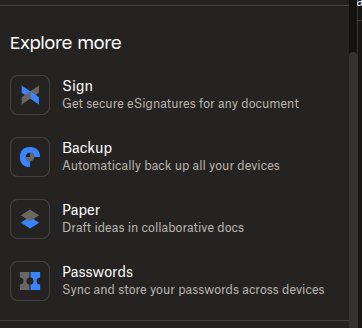
Can you navigate to the "More" icon shown in the left hand side pane and select the Passwords option? What do you see there?

- Alexut3 months agoHelpful | Level 6
I have removed absolutely everything there:
Dropbox Passwords Extension shows up each time i'm trying to connect to it in browser, but I removed it 5 times already and restarted browser. I still get this:
- Megan3 months ago
Hey Alexut!
I know you mentioned that there's nothing Passwords related when visiting the page that Hannah provided.
However, could you please check one more time using these steps and let me know if they help you locate the extra linked device?
-Go to https://www.dropbox.com/account/connected_apps
-Scroll down to the section "View Dropbox content"
-You should see entries for "DB Passwords Android", "DB Passwords iOS and Mac" and "DB Passwords Windows", depending on how many different devices you have setup Passwords on.If you don't see anything, please grab a couple of screenshots in order for me to have a visual.
- Alexut3 months agoHelpful | Level 6
yes. to sum up:
- laptop broke.
- installed dropbox password on an older device.
- i see this message
[name] keep protecting your passwords
You connected 3 devices or browsers to Passwords — that’s the limit on our free plan. Upgrade to continue on this device.
- i tried installing the android dropbox password app - i get an error on log in.
- i don't see any dropbox password mentioned in the connected apps page.
- I can't disconnect the 3 connected devices mention in the message as i don't see them.
Thanks
- Nancy3 months ago
Hey Alexut, to sum up what’s already been mentioned and make sure I’ve gotten the issue right, you’re trying to install the Dropbox Passwords web extension on your browser and you keep seeing an error about having more than 3 devices linked. Correct?
Since you mention you don’t see anything about Dropbox Passwords at the page Hannah linked above, is it possible that you had previously connected your Dropbox Passwords extension to a different Dropbox account, under another email address?
If not, please try these steps instead.
- Alexut3 months agoHelpful | Level 6
This dose not work. I don't have Dropbox Passwords there, just things related to dropbox main app.
- Hannah4 months ago
Hey Alexut, would you mind checking this page in your account settings and let me know if you can see the devices linked to Dropbox Passwords?
If you can see them, can you delete them so that you go below the device limit?


About Security and Permissions
Start a discussion in the Dropbox Community forum to get help with your account security and permissions. Find support from Community members.
The Dropbox Community team is active from Monday to Friday. We try to respond to you as soon as we can, usually within 2 hours.
If you need more help you can view your support options (expected response time for an email or ticket is 24 hours), or contact us on X, Facebook or Instagram.
For more info on available support options for your Dropbox plan, see this article.
If you found the answer to your question in this Community thread, please 'like' the post to say thanks and to let us know it was useful!


