Your workflow is unique 👨💻 - tell us how you use Dropbox here.
Forum Discussion

NikLG
4 years agoExplorer | Level 4
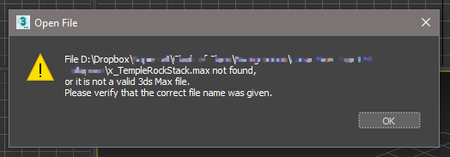
Can't open files in 3ds MAX that are on Dropbox
**Just thought I'd edit this top post** I think this has been resolved quietly by either Dropbox or Autodesk, as I no longer have any problems with syncing or anything. Hello all, Similar to t...

Megan Dropbox Community Moderator
3 years agoDropbox Community ModeratorHey samrikken, thanks for returning and giving us some updates on this, I appreciate it!
Also, lukaszwolenski, since I can't access the shared link (due to security restrictions) I'd be most thankful, if you could attach the screenshots directly to your Community response. When you click to respond back to me, you should have a little camera-like icon that will allow you to attach them here.

lukaszwolenski
3 years agoExplorer | Level 4
- Jay3 years ago
Hi lukaszwolenski, could you try marking the folders as online-only, and then mark it as offline again?
 Gika3 years agoNew member | Level 2
I have the same problem.
I bought a new laptop and can't open my 3DS Max files, even though I made the whole folder local.The only way I can open them, is copying them, which makes it very unpractical.
I can't open the local file (green tick), only the copy I just made.
Has anyone found a solution for this problem?
- Gika3 years agoNew member | Level 2
Hi Megan,
It's super weird, but the files that I tried to open before I completed making my files local can't be opened unless copied, but the others seem to be opening normally, so far.
I installed Dropbox version 162.4.5419 on my laptop.
- lukaszwolenski3 years agoExplorer | Level 4
This move will solve the problem, it was the only solution that worked for me for this issue.
 mariohyeah3 years agoNew member | Level 2
The reason didn't work for me was that i had kind of mess of local-online folders. Being online the main folder and local the textures one, let's say.
So, I make the project root folder local again, the next too, until the textures folder. Then I can make the rest, not interested, online

About View, Download, and Export

Get support with viewing, downloading, and exporting files and folders from your Dropbox account.
The Dropbox Community team is active from Monday to Friday. We try to respond to you as soon as we can, usually within 2 hours.
If you need more help you can view your support options (expected response time for an email or ticket is 24 hours), or contact us on X, Facebook or Instagram.
For more info on available support options for your Dropbox plan, see this article.
If you found the answer to your question in this Community thread, please 'like' the post to say thanks and to let us know it was useful!


