Your workflow is unique 👨💻 - tell us how you use Dropbox here.
Forum Discussion

bigadorf
4 years agoExplorer | Level 4
Dropbox suddenly stopped working with Safari on my Desktop
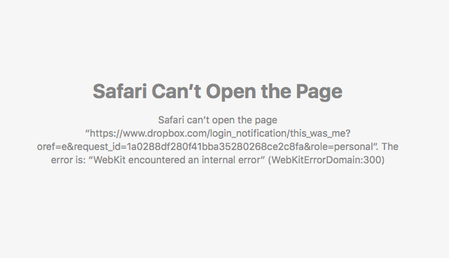
Started having problems today with Dropbox not working properly on my IMac desktop. Mobile devices work fine When I open up Dropbox from my menu bar, I have trouble opening up any files , Recent, Ho...
bigadorf
4 years agoExplorer | Level 4
Good morning. Yes it is when I try to click on the globe icon.
Using Version V121.4.4267.
Status says up to date
Safari Version 11. 1.2.
I set my default browser to Chrome versus Safari and everything seems to be working fine now. Obviously there is a problem with Safari. Not an ideal solution for me, but it is a workaround.
Interesting that today, when I started up my computer the dropbox logo was no longer in the Menubar.

Megan Dropbox Community Moderator
4 years agoDropbox Community ModeratorThank you for all the info bigadorf!
Since the message wasn't present when you used Chrome, then it's a browser focus issue. If I were you, I'd try clearing cache on Safari.
You can also restore the browser to its default settings, to see if this does the trick.
Cheers!
 jaystanley24 years agoNew member | Level 2
Hi there
I am having this exact same issue.
I get the same error images of the user who posted the pictures.
and everything works fine on chrome.
I deleted the cache in safari, restarted it, restarted the comp.
It even gave me another error code for trying to reply to this thread in safari, i had to move over to chrome and log in and then reply to you.
Is there anything else that can be causing this? definately looks like a safari issue.
please help
About View, Download, and Export

Get support with viewing, downloading, and exporting files and folders from your Dropbox account.
The Dropbox Community team is active from Monday to Friday. We try to respond to you as soon as we can, usually within 2 hours.
If you need more help you can view your support options (expected response time for an email or ticket is 24 hours), or contact us on X, Facebook or Instagram.
For more info on available support options for your Dropbox plan, see this article.
If you found the answer to your question in this Community thread, please 'like' the post to say thanks and to let us know it was useful!


