Your workflow is unique 👨💻 - tell us how you use Dropbox here.
Forum Discussion

Cyber2022
3 years agoNew member | Level 2
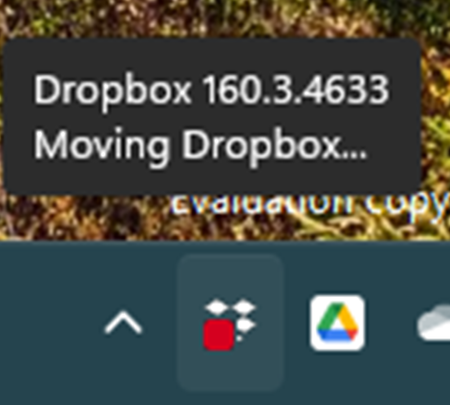
cannot click dropbox icon on taskbar
Since updating to latest Window 11 (version: 22H2, OS build: 25227.1000), Dropbox icon at Taskbar cannot click. I tried unstall & re-install the desktop app but it still cannot click. Show as belo...
 3 years ago
The problem is now fixed with Windows 11 Insider Preview (10.0.22623.1028). Thanks for your support and follow-up.

Jay Dropbox Community Moderator
3 years agoDropbox Community ModeratorHi David M.293, as a test, could you temporarily reduce the size to 100% to see if this helps load the app?

Tiffanycrea
3 years agoHelpful | Level 6
No the problem remains weather there is an external screen or not;
I always checked in the display settings to try if it makes a difference when I change the scale to 100%, even in registry, I set logpixels to 96.
The icon still won't open.
It seems to be a difficult bug on windows 11 version.
One weeks ago everything was fine.
I always checked in the display settings to try if it makes a difference when I change the scale to 100%, even in registry, I set logpixels to 96.
The icon still won't open.
It seems to be a difficult bug on windows 11 version.
One weeks ago everything was fine.
About Apps and Installations
Have a question about a Dropbox app or installation? Reach out to the Dropbox Community and get solutions, help, and advice from members.
The Dropbox Community team is active from Monday to Friday. We try to respond to you as soon as we can, usually within 2 hours.
If you need more help you can view your support options (expected response time for an email or ticket is 24 hours), or contact us on X, Facebook or Instagram.
For more info on available support options for your Dropbox plan, see this article.
If you found the answer to your question in this Community thread, please 'like' the post to say thanks and to let us know it was useful!


