Need to see if your shared folder is taking up space on your dropbox 👨💻? Find out how to check here.
Forum Discussion

CaptainPablo
3 years agoNew member | Level 2
Can't log in "Previous sign-in interrupted" error
As it says above ... Can't log in "Previous sign-in interrupted" error.
Any help appreciated.
It's a business account if that makes any difference.
- Hi everybody,Appreciate your comments here. We’d like to share some key takeaways from this discussion.If you’re getting the ‘’ “Previous sign-in interrupted" error’’ please check if you hit the device limits of your account:
- Dropbox Basic users can be logged into up to three devices at a time.
- Dropbox Plus, Family, Professional, and Essentials customers can log into as many devices as they need.
- Dropbox team users can log into as many devices as they need, but admins on Advanced, Business Plus, and Enterprise teams can limit the number of devices their teams can link.
Actions to take:- Unlink some, or all your devices. Instructions in here.
- Request your company Team Admin to manage your devices via the admin console:
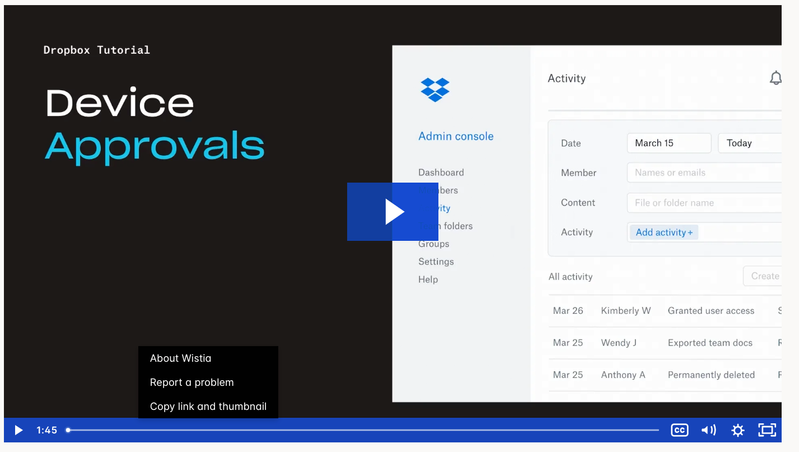
Tip 🎯: they can use the Exception list to allow only you to have more than one connected computer.Video Tutorial here.This is the most recent info we've got for now. To keep things clear on the topic, we will be closing off this thread. If you’re still having issues, please start a new discussion and we’ll look into it!Thanks,Sam

97 Replies
Replies have been turned off for this discussion
 cesterwo3 years agoHelpful | Level 5
OK, we managed to fix the issue by signing off of all other devices where I had dropbox on. I think there may be a soft max sign-ins for dropbox.
- krk6283 years agoHelpful | Level 5
Thousands of users looking at this thread...obvious issue somewhere. Shame how poor the error messages are in the desktop app really.
- krk6283 years agoHelpful | Level 5
I fixed in my case by installing with the *offline* 179.4.4917 installer. This is the release prior to August 2023 where this particular error message was first noted in the forums here. If any DB folks follow these threads, here's some advice no-charge:
For the Love of Your Deity put a human-readable log file on the app side so it's clear what is broken. "Previous Sign In Interrupted" helps no one and unnecessarily increasing load on your support staff for no good reason.  fantasy_lu3 years agoNew member | Level 2
Same here. Had to the *offline* 179.4.4917 installer with the "paste link code" in the installer to find out that the problem is the maximum number of allowed computers. "Previous Sign In Interrupted" makes no sense and nobody knew what this error message means.
 Mike C.453 years agoExplorer | Level 3
I am a business user account 10 years, with mac pc's and have upgraded to os sonoma.
The dropbox app does not work, after 10 years I know my way around and have tried all the usual reinstalls, new user etc.
The help desk does has no idea or suggestions. I am getting desperate.
So I am looking to switch to microsoft cloud but before I do so can any one help?
Mike
- Mark3 years ago
Super User II
You've not actually said why it isnt working and what the issue/s are @Mike C.45 ?
- Mike C.453 years agoExplorer | Level 3
You click on the dropbox icon and it asks you to sign in through the browser, and continues to do so opening a new browser page each time, so the issue is the dropbox app seems not compatible with the OS. On my laptop when I updated to sonoma and the same issue. On the laptop I have reloaded the previous OS and all is fine,
- Hannah3 years ago
Dropbox Community Moderator
Hey Mike C.45, sorry to see you're having trouble with the Dropbox desktop app on your Mac computer.
Dropbox is compatible with Sonoma; did you get a notification to update Dropbox to the new Dropbox for macOS on File Provider? and if so, did you perform the update?
If you hover over the Dropbox icon, what do you see?
Please also make sure to send us the ticket number for your communication with our support team, so we can check that out as well.
- Mike C.453 years agoExplorer | Level 3
Hi
Latest dropbox of macOS installed.
When hovering over the icon it says waiting to be linked to a dropbox account.
So click on the browser & get message sign in with dropbox.
Then get the API window choose account to log into
Click on account and then get window saying previous sign in interrupted please try again.
Then the process just goes round in a loop.
Ticket where screen shots sent.
Dropbox Support <support+id22847414@dropbox.zendesk.com>
I am a business user with priority help (not) and the knock on effect of this probably simple problem is my users are holding back on upgrading the OS but that in turn means that some programmes such as numbers we can't use all the features and not have the latest security.
- Nancy3 years ago
Hey Mike C.45, can you please check out the offline installer solution provided by the previous users in this thread, and let me know if that helps at all? We'll take it from there.


About Security and Permissions
Start a discussion in the Dropbox Community forum to get help with your account security and permissions. Find support from Community members.
The Dropbox Community team is active from Monday to Friday. We try to respond to you as soon as we can, usually within 2 hours.
If you need more help you can view your support options (expected response time for an email or ticket is 24 hours), or contact us on X, Facebook or Instagram.
For more info on available support options for your Dropbox plan, see this article.
If you found the answer to your question in this Community thread, please 'like' the post to say thanks and to let us know it was useful!


