Need to see if your shared folder is taking up space on your dropbox 👨💻? Find out how to check here.
Forum Discussion

CaptainPablo
3 years agoNew member | Level 2
Can't log in "Previous sign-in interrupted" error
As it says above ... Can't log in "Previous sign-in interrupted" error.
Any help appreciated.
It's a business account if that makes any difference.
- Hi everybody,Appreciate your comments here. We’d like to share some key takeaways from this discussion.If you’re getting the ‘’ “Previous sign-in interrupted" error’’ please check if you hit the device limits of your account:
- Dropbox Basic users can be logged into up to three devices at a time.
- Dropbox Plus, Family, Professional, and Essentials customers can log into as many devices as they need.
- Dropbox team users can log into as many devices as they need, but admins on Advanced, Business Plus, and Enterprise teams can limit the number of devices their teams can link.
Actions to take:- Unlink some, or all your devices. Instructions in here.
- Request your company Team Admin to manage your devices via the admin console:
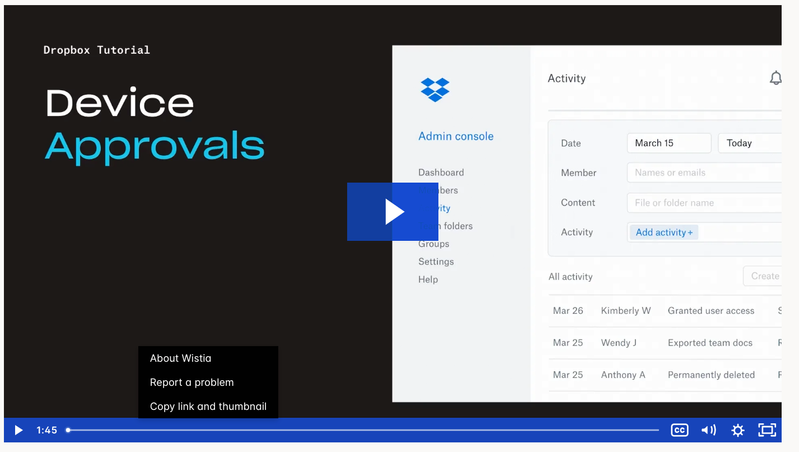
Tip 🎯: they can use the Exception list to allow only you to have more than one connected computer.Video Tutorial here.This is the most recent info we've got for now. To keep things clear on the topic, we will be closing off this thread. If you’re still having issues, please start a new discussion and we’ll look into it!Thanks,Sam

97 Replies
Replies have been turned off for this discussion
 Paarthurnax3 years agoExplorer | Level 4
Hello I've had dropbox for a while and loved it. I have a computer that I used for a while until I hit my device limit and signed out of Dropbox on it. When I tried opening up the desktop app again it took me to the login screen where my only options are "Sign in with Dropbox" which boots me to a browser login or "Create account". I hit the sign in option where it takes me to my chrome browser that I'm logged in, it says successfully logged in and return to desktop app. When I go back to the app though an error code says "Previous Sign In interrupted. Please try again". I've done that same two step process a couple dozen times before giving up and doing an uninstall and reinstallation of the dropbox app which takes me to the same app login screen and same process as before. I have done logins across multiple devices and never run into this issue before. Any help is appreciated!
- Nancy3 years ago
Dropbox Community Moderator
Sorry to hear that, Paarthurnax.
Have you checked how many devices are currently linked to your Dropbox account? If you’re not sure how to do this, you can visit this page.
Is it possible you have more than 3 devices at the moment (computers and mobiles)?
 cesterwo3 years agoHelpful | Level 5
I've been having this issue as well and this hasn't fixed it. Even our IT people are unsure of what to do. Tried uninstalling, reinstalling, and toggling both early access and release versions of the app. I've also had this issue on Chrome, Firefox, Safari, and Vivaldi.
- Macbook Air M1
- OSX Ventura Version 13.6.1
- Dropbox Business Account With SSO and 2-Factor Auth.
- cesterwo3 years agoHelpful | Level 5
P.S. also tried the offline installer and it didn't work either.
 Firelock3 years agoHelpful | Level 6
we have a work around that is allowing us to log-in using the desktop software. We changed the SSO setting in the admin console to optional and then signed in using a username and password instead of SSO. For some reason we have to click sign on twice but it does allow the sign on. We think the issue is being caused by some problem with our Microsoft Defender CASB security software and Microsoft Authenticator SSO.
- Paarthurnax3 years agoExplorer | Level 4
This worked for me, I gave it a last ditch effort. Made sure I had a free device slot available to add, then used the dropbox app on my phone and followed the connection steps, downloaded and installed Dropbox (even though I hadn't even uninstalled it from beforehand), and it bypassed the sign-in step and let me continue setting up Dropbox like normal. Thank all for the help!
 BenLind3 years agoNew member | Level 2
Maddux wrote:Hi, I have solved the issue.
What I did is to install dropbox in my phone. There, is an option where you can link your account to a PC.
I just followed instructions and somehow it worked.
Regards.
Thank you! I had tried everything here, clearing cache, different browsers, offline installer, unlinking devices (even though I don't have a free account which should support more devices) and the mobile linking was the only thing that worked. I was skeptical at first as it only seemed to download yet another installer but this one already automatically connected to my account and it worked.
Thanks again, this was driving me nuts!
Nadav1 did you try using that installer? I was skeptical at first too as it was only downloading another installer but that seemed to connect immediately.
 stevenlewis3 years agoExplorer | Level 4
Windows 10 desktop app user and Admin for a Team account. I've tried everything in this entire thread. I've got my team device limits to unlimited. I've tried removing 2-factor auth requirement, removing devices, etc. No matter what I do, once a user logs out of the app they cannot log back in and get the "Previous sign in interrupted" message over and over. I removed my connected mobile device trying to see if that would allow me to login on my desktop pp but that didn't work and now my mobile app won't let me login again either. This HAS to be a known issue by now with Dropbox. I have 3 users including myself right now that cannot use DB at all and this is killing our productivity as all of our project folders live in DB for our entire team. Can't be an IT issue on our side as not limited to a specific device, network, or even mobile or desktop app. 3 of us have called in with this issue multiple times in the past 2 weeks. We desperately need support!
- Walter3 years ago
Hi there stevenlewis - thanks for flagging this with us.
Since you've already contacted our support team about this, could you share your ticket ID so that we can look it up in our system?
- stevenlewis3 years agoExplorer | Level 4
I was able to fix this issue. I found an older version of the DB app. V181.4.5678 online. This version used a method to sign in directly in the installer instead of taking me to the web browser. I was able to sign in and get DB running again with no issues. There could be an issue with the new method of using the browser to sign in that the developers need to look into.


About Security and Permissions
Start a discussion in the Dropbox Community forum to get help with your account security and permissions. Find support from Community members.
The Dropbox Community team is active from Monday to Friday. We try to respond to you as soon as we can, usually within 2 hours.
If you need more help you can view your support options (expected response time for an email or ticket is 24 hours), or contact us on X, Facebook or Instagram.
For more info on available support options for your Dropbox plan, see this article.
If you found the answer to your question in this Community thread, please 'like' the post to say thanks and to let us know it was useful!


