Need to see if your shared folder is taking up space on your dropbox 👨💻? Find out how to check here.
Forum Discussion

CaptainPablo
3 years agoNew member | Level 2
Can't log in "Previous sign-in interrupted" error
As it says above ... Can't log in "Previous sign-in interrupted" error.
Any help appreciated.
It's a business account if that makes any difference.
- Hi everybody,Appreciate your comments here. We’d like to share some key takeaways from this discussion.If you’re getting the ‘’ “Previous sign-in interrupted" error’’ please check if you hit the device limits of your account:
- Dropbox Basic users can be logged into up to three devices at a time.
- Dropbox Plus, Family, Professional, and Essentials customers can log into as many devices as they need.
- Dropbox team users can log into as many devices as they need, but admins on Advanced, Business Plus, and Enterprise teams can limit the number of devices their teams can link.
Actions to take:- Unlink some, or all your devices. Instructions in here.
- Request your company Team Admin to manage your devices via the admin console:
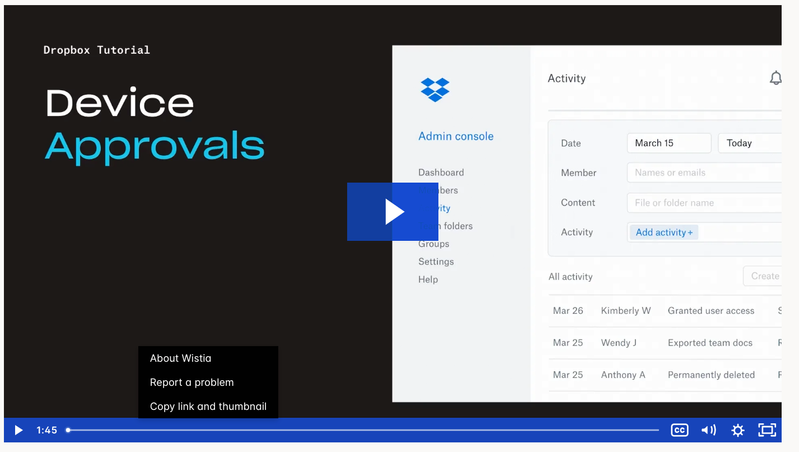
Tip 🎯: they can use the Exception list to allow only you to have more than one connected computer.Video Tutorial here.This is the most recent info we've got for now. To keep things clear on the topic, we will be closing off this thread. If you’re still having issues, please start a new discussion and we’ll look into it!Thanks,Sam

97 Replies
Replies have been turned off for this discussion
 igaming3 years agoHelpful | Level 5
Hi Nancy
Just tried that - no luck.
Message "You can't open the Dropbox app because it is not responding". Can't seem to attach a screenshot.
Stuck.
- igaming3 years agoHelpful | Level 5
Deb R thanks - as stated previously, this tab is already set to "off"
- Hannah3 years ago
Dropbox Community Moderator
Hey igaming, I'd like you to send us a screenshot of any error messages you might be getting.
You should be able to see a small camera icon, right above the reply box, after you click on "reply" under my message.
- igaming3 years agoHelpful | Level 5
Thanks Hannah
 johnnybrav03 years agoExplorer | Level 4
I'm having the same issue with signing into the desktop app and getting the "Previous sign in interrupted" error.
I'm on Windows 10 v22H2. I just got a brand new laptop so the app has not been previously installed. Don't have this issue on my old laptop.
I've tried uninstallting and reinstalling the app. Cleared cache. Restarted the computer.
I've tried logging in using Chrome and Edge.
Early releases tab is turned off.
 eddierivera3 years agoNew member | Level 2
I am getting the exact same error on Windows 10 Pro. Happens with chrome or Edge. Sign in on the web works just fine. I cannot get the app to complete the process. No early release enabled.
- Hannah3 years ago
Hey guys, if you're still having this issue, can you please clear the cache of the browser that's opening when you're prompted to sign in and then try to sign in again.
Also, if you have any browser extensions from another tab/window, please temporarily disable those too.
Disabling any proxies, antivirus, firewalls, VPN, etc. might help as well, so please try that too.
- johnnybrav03 years agoExplorer | Level 4
RESOLVED!
After numerous attempts I was finally able to log in. I completely cleared cache (making sure to close all browser tabs) and turned off all browser extensions. I then installed the software and tried logging into my personal account first rather than business account. That was successful. When I tried to log into my business account, I received an error that I already had dropbox on too many computers. So I had to log out of one of those before I could sign into the business account on the desktop app. I suspect that was the reason I couldn't log in previously. I had been focused on logging into the business account since that's what I primarily use.
- jkleinhoven3 years agoHelpful | Level 5
I am having sync-issues on my MacBook for months; files added to dropbox offline are not longer synced to my online Dropbox. I have done over 10 reinstalls, cleared caches, tried 2 different browser and I am still not able to get a local Dropbox app installed.
- Nancy3 years ago
I’m sorry to hear this, jkleinhoven.
Can you send me the exact OS version of your computer?
Can you also clarify if you’ve tried our offline installer, as well?


About Security and Permissions
Start a discussion in the Dropbox Community forum to get help with your account security and permissions. Find support from Community members.
The Dropbox Community team is active from Monday to Friday. We try to respond to you as soon as we can, usually within 2 hours.
If you need more help you can view your support options (expected response time for an email or ticket is 24 hours), or contact us on X, Facebook or Instagram.
For more info on available support options for your Dropbox plan, see this article.
If you found the answer to your question in this Community thread, please 'like' the post to say thanks and to let us know it was useful!


